
Skip to content
JOYMODE Business Solutions

Managed Technology · Network & Site Operations

Managed Network Services

Firewalls, switching, Wi-Fi, Internet, and remote sites monitored and maintained as one network — whether or not JOYMODE installed it.

Managed customers receive extended helpdesk and emergency response 24/7/365.

Explore Managed Services

Short answers

What managed networking means here

Short answer

What does managed network services include?

Firewall and switching configuration and lifecycle, business Wi-Fi design and management, WAN and Internet oversight with backup and failover, segmentation, firmware and patch lifecycle, monitoring, and connectivity troubleshooting across sites.
Short answer

Can you manage a network we didn't build?

Yes. JOYMODE regularly inherits environments. We document topology, devices, credentials, and dependencies first, then bring monitoring and consistent standards in place.

Layer by layer

What gets monitored and maintained

Edge & firewall

  • Policy review and cleanup
  • Firmware lifecycle
  • Documented rules
  • Failover behavior checked

Switching & segmentation

  • Port and VLAN standards
  • PoE capacity review
  • Guest, IoT, and server separation
  • Loop protection

Wireless

  • Coverage and capacity checks
  • Access point placement and roaming
  • Channel and power tuning
  • Client troubleshooting

Internet & failover

  • Circuit inventory and health
  • Backup and secondary paths
  • Dual-WAN and cellular failover where appropriate
  • Carrier escalation

Monitoring & lifecycle

  • Device and uptime monitoring
  • Configuration backups
  • Patch and firmware schedules
  • Aging-hardware flags

Remote & temporary sites

  • Jobsite and trailer networks
  • Home-office dependencies
  • Rapid-deployment connectivity
  • Multi-site standards

Inheriting a network

Document before you change

  1. 01

    Document

    Map devices, topology, circuits, credentials, and what depends on what.

  2. 02

    Monitor

    Put visibility in place so failures reach us before they reach the office.

  3. 03

    Secure

    Close the highest-risk gaps first: management access, stale rules, unpatched gear.

  4. 04

    Standardize

    Bring sites onto consistent naming, VLAN, and configuration standards.

  5. 05

    Plan

    Track end-of-life hardware and capacity so replacements are budgeted, not urgent.

The physical layer

Most 'bad Wi-Fi' problems are physical.

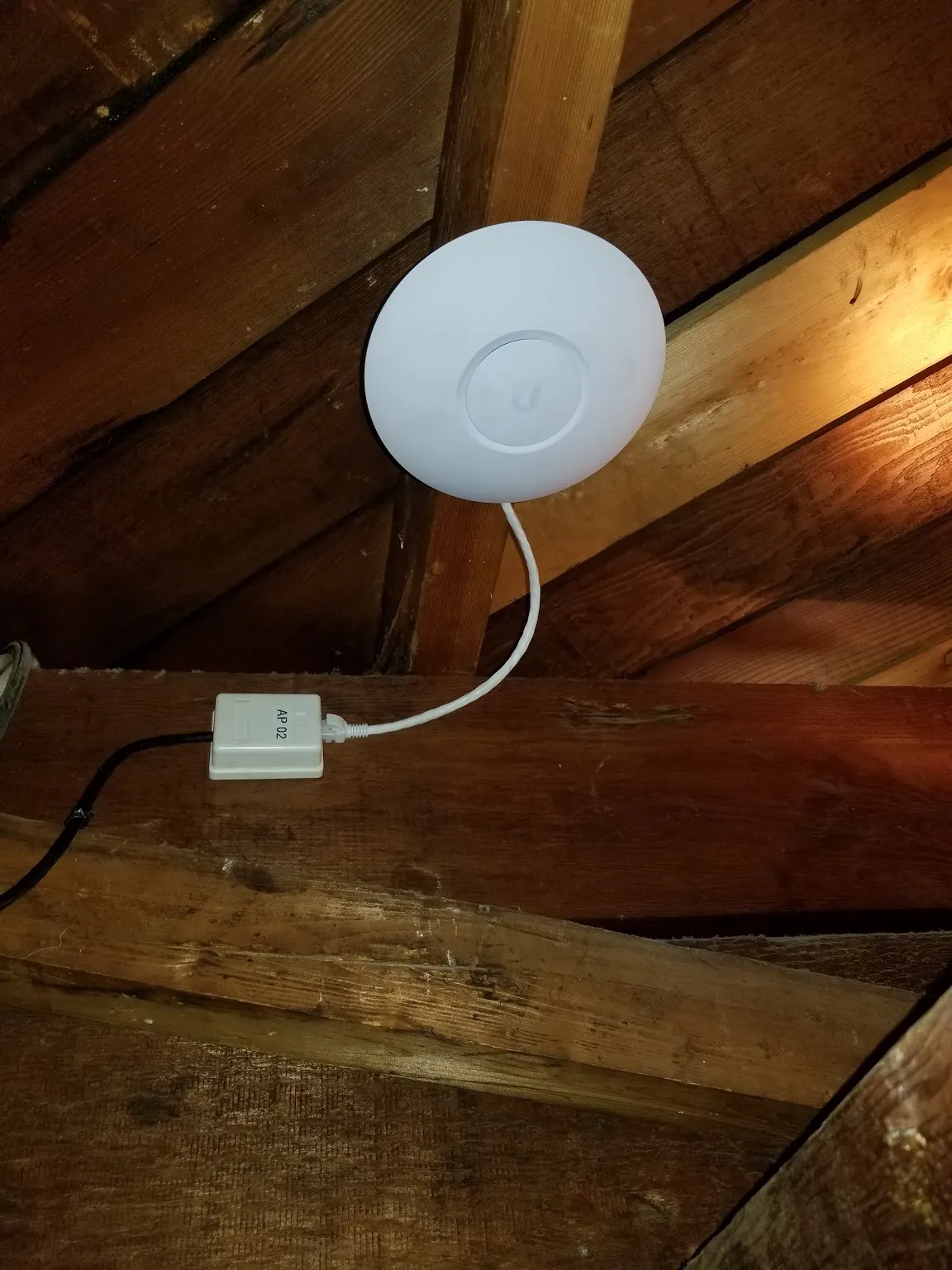
Coverage, capacity, and client behavior are usually decided by placement, cabling, and interference long before any settings. Because the same team installs cabling, racks, and access points, we can fix what the diagnosis finds.

White Ubiquiti UniFi ceiling access point in an attic space connected to a labeled AP-02 cable drop

Network management is scoped per environment. Where hardware is past support or licensing, JOYMODE flags it with options rather than replacing it without a decision.

Managed Technology & Security Assessment

See where your environment stands.

12 assessment domains

  1. 01Users & identity
  2. 02Devices & lifecycle
  3. 03Networks & connectivity
  4. 04Cloud & collaboration
  5. 05Cybersecurity
  6. 06Backup & recovery
  7. 07Communications & telecom
  8. 08Business applications
  9. 09Vendors & licensing
  10. 10Remote / multi-site operations
  11. 11Documentation
  12. 12AI & automation opportunities

What you receive

  • Current-state overview
  • Critical risks and dependencies
  • Lifecycle priorities
  • Vendor and licensing observations
  • Security priorities
  • Continuity recommendations
  • A practical technology roadmap

The assessment is a business technology review. It is not a penetration test, compliance audit, cyber-insurance certification, or legal review unless separately scoped.

Request an Assessment

Common questions

Networks, answered

Do you monitor the network or only fix it when it breaks?

Monitored. Devices, uptime, and failed jobs alert us, and the goal is to catch a failure before the office notices it. Break-fix is what's left over when nothing is watching.

We run UniFi, Meraki, or Fortinet — can you support it?

Yes. Those are platforms JOYMODE deploys and supports. Other brands are assessed for condition, licensing, and supportability before we recommend keeping them.

Our Wi-Fi is poor in one corner. Is that a management problem?

Usually coverage, capacity, or client behavior. We check the physical layer first — placement, cabling, and interference — because that's where most Wi-Fi complaints actually start.

Can you handle Internet problems with our carrier?

Yes. JOYMODE keeps a circuit inventory, escalates outages with the carrier, and handles the on-site side — demarc, cabling, and equipment — when the carrier needs it.

Do you manage networks at multiple locations consistently?

That's the point. Sites get consistent addressing, VLAN, naming, firmware, and monitoring standards so a problem at one location is diagnosable from anywhere.