
Skip to content
JOYMODE Business Solutions

Industries · Coffee Shops

Coffee shop technology that keeps the line moving

A coffee shop's busiest hour is unforgiving. When the network stutters, payments, mobile orders, loyalty, and the menu board all stop together. JOYMODE builds and supports the connectivity those systems share.

Short answer

What happens to a coffee shop when the Internet goes down?

Card payments may queue or fail, mobile and third-party orders stop arriving, loyalty lookups break, and cloud-based menu boards can go blank. A backup Internet connection with automatic failover keeps most of those systems working through a carrier outage.
Short answer

Should guest Wi-Fi share the same network as the POS?

No. Guest Wi-Fi should be isolated from POS and payment devices and rate-limited so a few laptops cannot slow down order traffic during a rush.

Operational pain points

What breaks coffee-shop throughput

01

Peak-hour slowdowns

Guest devices and order tablets compete for the same bandwidth at exactly the wrong time.

02

Ordering dependencies

Online ordering, delivery tablets, loyalty, and payments all depend on one Internet connection.

03

Dropped order tablets

Weak Wi-Fi near the pickup counter or bar causes missed or late mobile orders.

04

Vendor finger-pointing

The POS company blames the ISP, the ISP blames the router, and the line keeps growing.

Technology systems

What the environment runs on

Coffee shops depend on systems that must stay online at the same moment. These are planned around order flow.

Connectivity

  • Primary business circuit
  • Automatic failover to backup Internet
  • Monitoring and ISP escalation

Ordering & payments

  • POS terminals and payment devices
  • Mobile and delivery order tablets
  • Loyalty and online-ordering connectivity

Guest experience

  • Isolated, bandwidth-managed guest Wi-Fi
  • Music streaming
  • Digital menu boards

Communications

  • Business phones and call routing
  • Business texting where useful

Security

  • Register and counter camera coverage
  • Back-of-house and delivery door coverage

Infrastructure

  • Wired drops for fixed POS and displays
  • Wi-Fi placement at bar and pickup
  • Labeled, documented cabling

Outcomes

What a well-built environment gives you

  • Orders and payments that keep flowing during a carrier outage
  • Guest Wi-Fi that does not slow down the counter
  • Pickup-area coverage so mobile orders arrive on time
  • One call when something stops, instead of three vendors
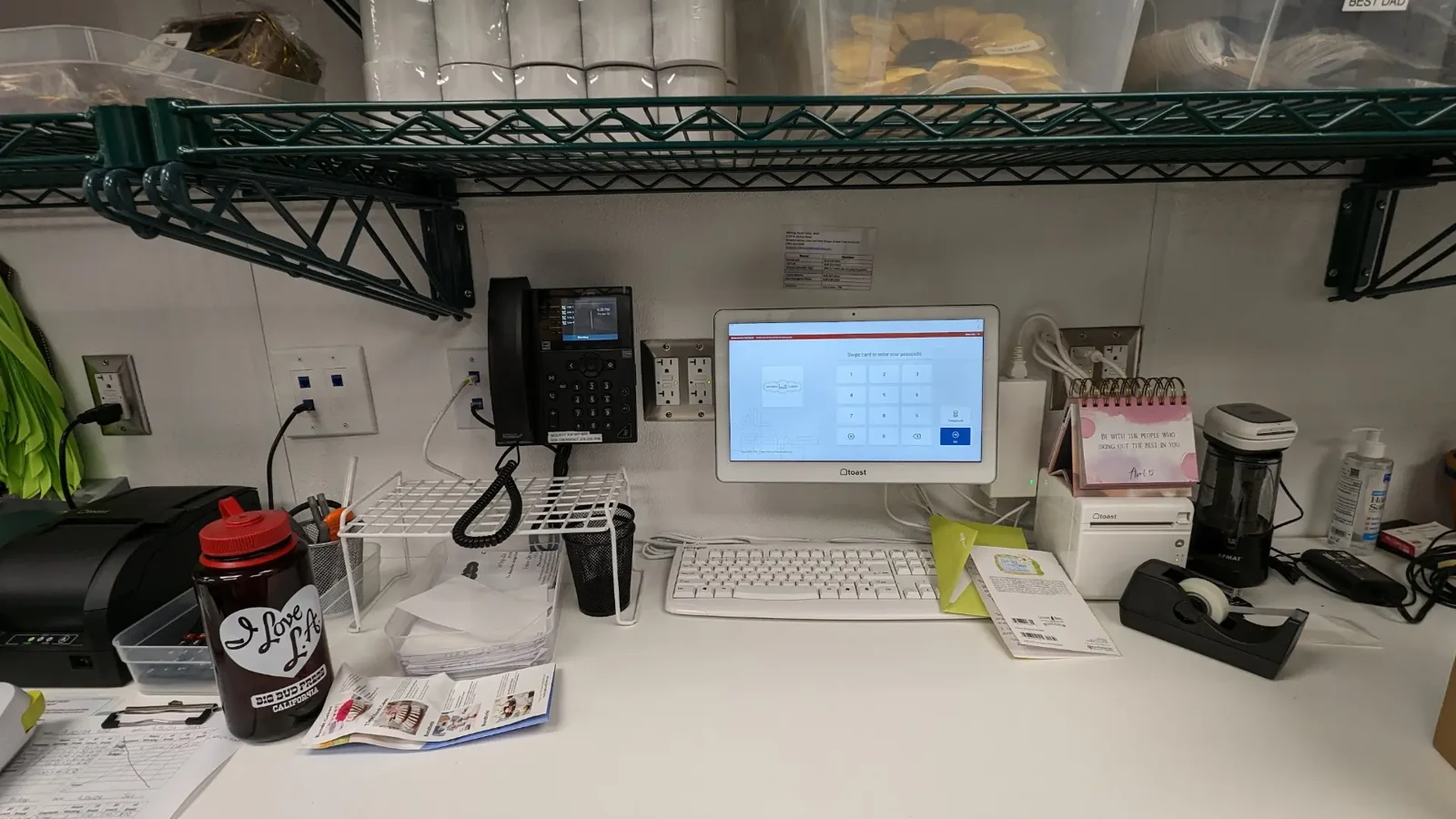
Back-office workstation with wall-mounted POS screen, desk phone, keyboard, and receipt printer
JOYMODE work · Back-office store systems

CafeOps by JOYMODE

Want it handled as one package?

CafeOps is JOYMODE's dedicated café technology solution — planning, buildout, opening readiness, and ongoing support from one team.

FAQ

Frequently asked questions

Can JOYMODE fix slow Wi-Fi in an existing coffee shop?

Usually, yes. Slow Wi-Fi is often caused by equipment placement, a flat network, or consumer hardware. JOYMODE assesses the space and recommends practical changes.

Does JOYMODE support our online ordering platform?

JOYMODE supports the network and devices those platforms depend on and coordinates with the platform vendor. The ordering software itself stays with its provider.

How does backup Internet work for a coffee shop?

A second connection — often cellular or a different carrier — takes over automatically if the primary line fails, so payments and orders can continue.

Can music and menu boards run on the same network?

Yes, on properly segmented networks so they do not interfere with POS and payment traffic.

Is technology slowing down your counter?

Tell us what you're opening, running, or fixing. We'll come back with practical next steps.